


This article was automatically translated from the original Turkish version.
+1 More
Kahoot!
Founding Year | 2013 | ||||||||
|---|---|---|---|---|---|---|---|---|---|
Founder | Morten Versvik Jamie Brooker Johan Brand | ||||||||
Center | Oslo, Norway | ||||||||
Service Type | Online education platform | ||||||||
Kahoot! is an online learning platform that enables the creation of fun and interactive quizzes (question-and-answer games). Founded in Norway in 2012, the platform is used in both classroom and remote education settings and is widely preferred by teachers, students, and professionals for various educational and event purposes.
Kahoot! was developed starting in 2012 in Norway by Johan Brand, Jamie Brooker, and Morten Versvik. The project, carried out in collaboration between the Science and Technology University of Norway (NTNU) and the business sector, was based on a research project titled “Lecture Quiz.” Launched at the SXSW EDU Conference in 2013, Kahoot! rapidly gained usage worldwide.
By 2020, it had achieved over one billion participations across more than 200 countries and reached millions of users. During the pandemic period, its usage increased significantly alongside the shift to remote education.
class=\
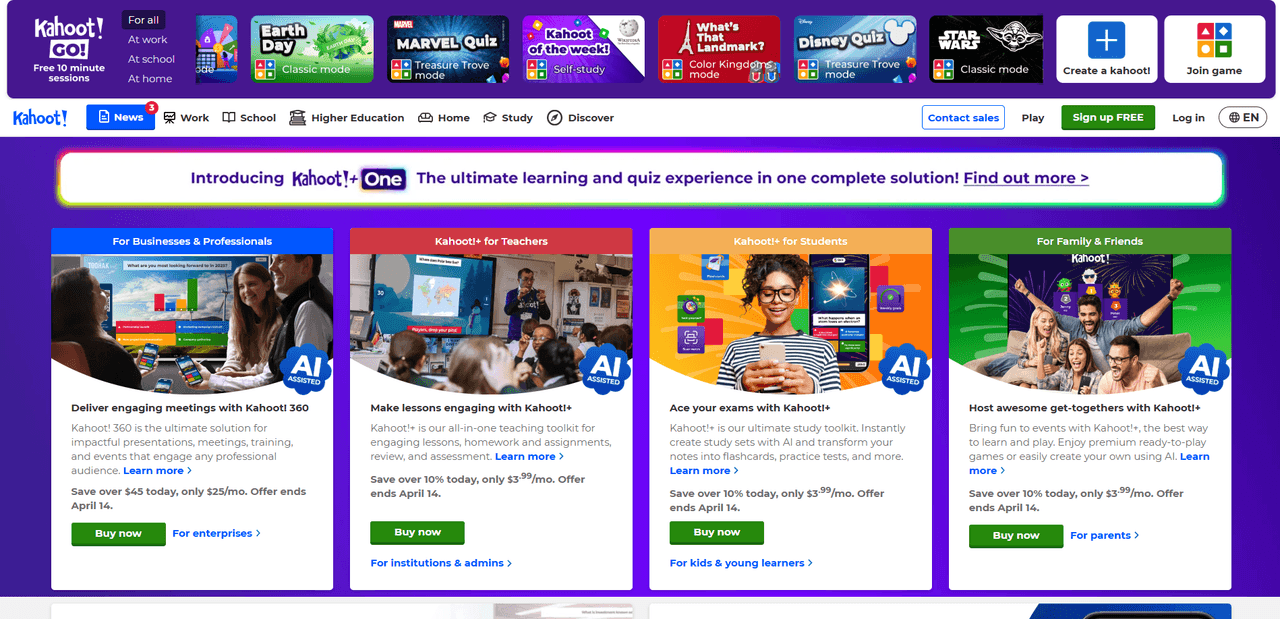
Kahoot! is primarily a gamification platform used for educational purposes. Users can create their own quizzes or play existing ones. Its main features include:
class=\
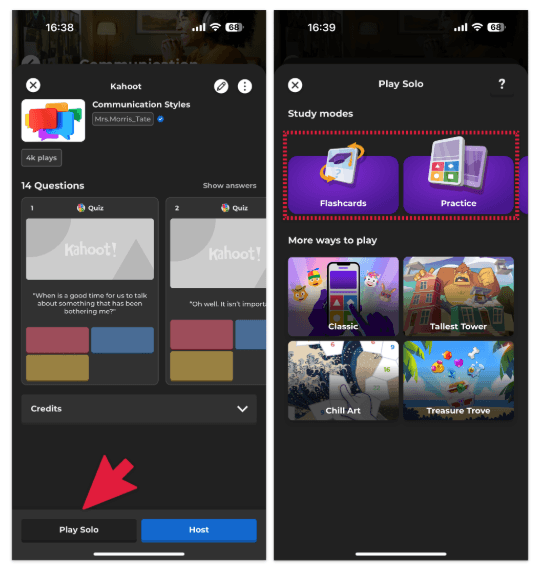
Kahoot! offers various playing modes to suit different needs:
Kahoot! offers various versions for both individual and institutional users:
Kahoot! is frequently chosen in education to boost student motivation and support learning processes. It is commonly used in the following areas:
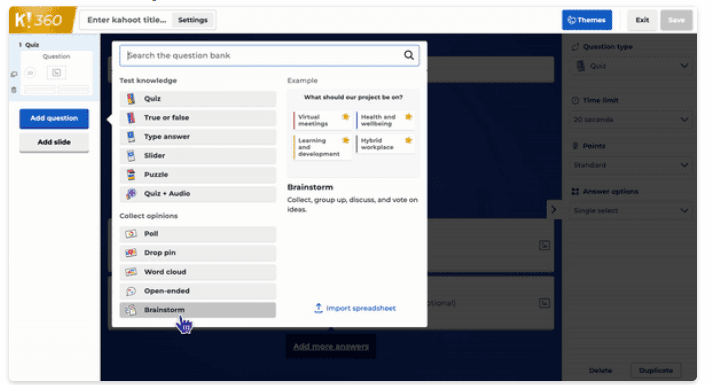
Creating a Kahoot! (homepage)
Kahoot! prioritizes user privacy and data security. Age restrictions are implemented to protect children, and data policies are conducted in compliance with regulations such as COPPA and GDPR. Additionally, it provides a safe usage environment through content moderation and complaint systems.
Kahoot! is accessible via both desktop and mobile devices. Mobile applications are available for Android and iOS, allowing users to create and play quizzes in any environment.
Kahoot!. "Kahoot! Hakkında." Accessed April 13, 2025.https://kahoot.com/.
Kahoot!. "Kahoot! Nasıl Kullanılır? – Çalışma Modları." Kahoot! Yardım Merkezi. Accessed April 13, 2025.https://support.kahoot.com/hc/tr/articles/360021489353-Kahoot-nas%C4%B1l-kullan%C4%B1l%C4%BDr-%C3%A7al%C4%B1%C5%9Fma-modlar%C4%B1.
Kahoot!. "Kahoot! Nasıl Yapılır? – Eksiksiz Kılavuz." Kahoot! Yardım Merkezi. Accessed April 13, 2025.https://support.kahoot.com/hc/tr/articles/115002884788-Kahoot-nas%C4%B1l-yap%C4%B1l%C4%B1r-Eksiksiz-k%C4%B1lavuz.

Kahoot!
Founding Year | 2013 | ||||||||
|---|---|---|---|---|---|---|---|---|---|
Founder | Morten Versvik Jamie Brooker Johan Brand | ||||||||
Center | Oslo, Norway | ||||||||
Service Type | Online education platform | ||||||||
Founding and Development
Features and Applications
Playing Modes
Kahoot! Versions and Licenses
Use in Education
How to Use
1. Create a Kahoot! Account
2. Create a Quiz (Kahoot)
3. Start the Game
4. Reports and Results
Security and Access
Web and Mobile Compatibility