This article was automatically translated from the original Turkish version.
Basic Features | Its contents are erased when power is cut It is random access The operating system and running programs are stored in RAM | ||||||||
|---|---|---|---|---|---|---|---|---|---|
SRAM (Static RAM) | It does not require refreshing It is used as cache It is very fast | ||||||||
DRAM (Dynamic RAM) | It requires refreshing It is slower It is used as main memory | ||||||||
Hardware Relationship | It is inserted into DIMM slots on the motherboard | ||||||||
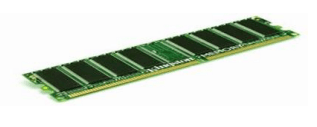
Main memory (RAM) is a type of memory that temporarily stores data and instructions requiring fast access by the processor (CPU) during computer operation. Its contents are erased when power is cut, and it supports both reading and writing. In computer systems, memory establishes a critical link between software and the processor by providing the information and commands needed by the CPU at high speed. RAM is defined as short-term memory used to hold programs and data actively in use while the system is powered on.
Computer memory encompasses physical components capable of storing data either temporarily or permanently. Memory systems are generally categorized into primary (main) memory, cache, and secondary memory (storage). Primary memory is associated with types that have short access times and directly exchange data with the processor. Secondary memory provides permanent storage; in contrast, RAM is volatile, meaning data is lost when power is removed.
In a computer’s operation, data is transferred from a source such as a hard disk or input devices into RAM. The processor reduces average access time by storing frequently used smaller data fragments in a buffer memory (cache). A typical system includes layers such as L1 or L1+L2 cache, main system memory (RAM), virtual memory, and a hard disk. This structure is designed to meet the processor’s need for rapid data access.
RAM is the memory area where the operating system, running applications, and used data can be quickly accessed by the processor. Because RAM provides faster access than storage devices such as hard disks, actively used programs and data are stored in it. RAM remains active as long as the computer is powered on; data stored in RAM is erased when the computer is shut down or restarted.
The term “random access” refers to the ability to access any memory cell independently of others, with each cell assigned a numerical address. RAM capacity is expressed in bytes; measurements such as bits and bytes are used to define memory size.
In a computer system, the central processing unit (CPU), memory (RAM), and other components operate connected to the motherboard. The motherboard is defined as the platform enabling communication between hardware components; data flow between the CPU and RAM occurs through this structure. RAM modules are inserted into memory slots on the motherboard, which support data transfer between RAM and the processor.
The MEGEP module specifies that RAM is typically installed in slots known as SIMM or DIMM. In the same context, the motherboard’s RAM slots are also referred to as “DIMM Slots”.
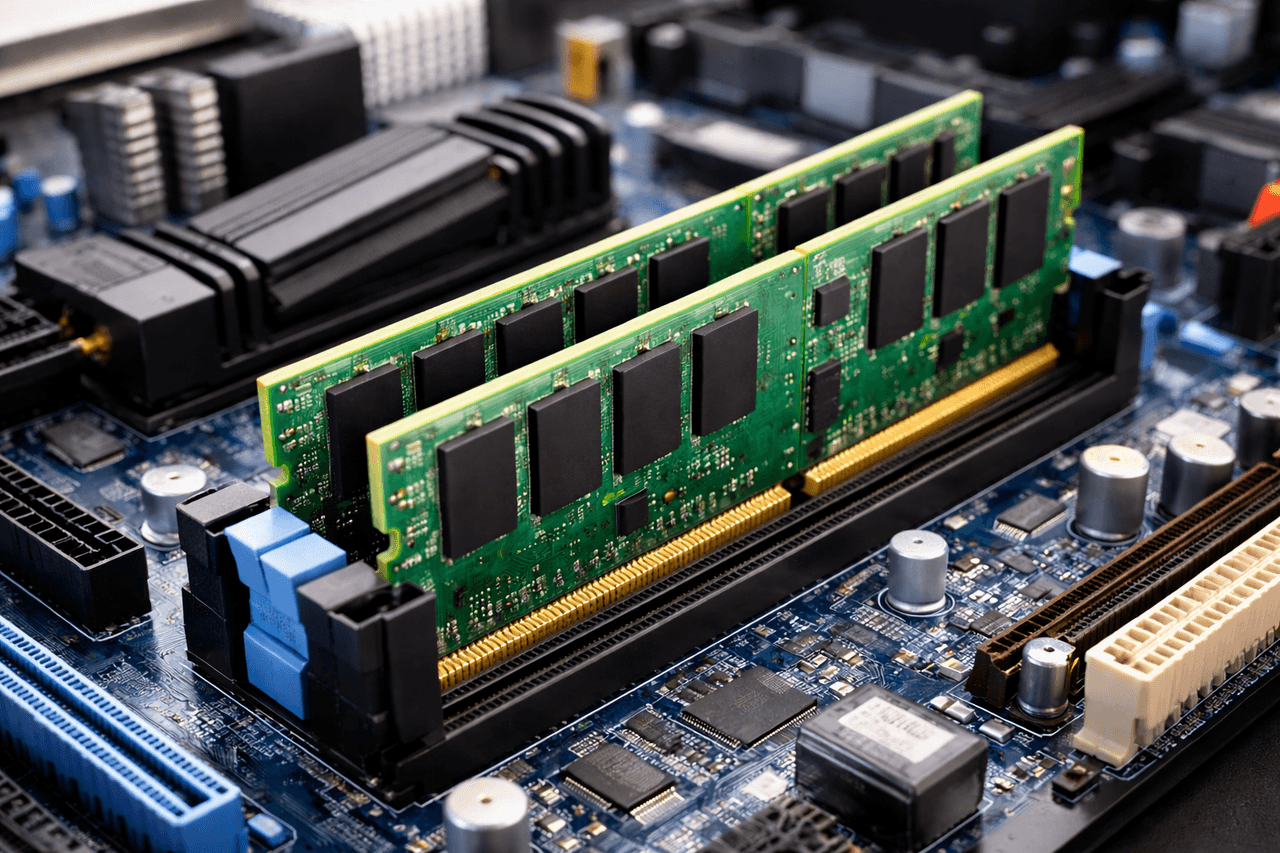
Main Memory (Generated by Artificial Intelligence)
RAM memory is classified by semiconductor characteristics into types such as SRAM and DRAM, and further into varieties such as SDRAM and DDR SDRAM. 【1】 Memory modules are categorized by physical structure into forms such as SIMM, DIMM, and SODIMM. These classifications help explain the technical differences and mounting methods of memory units.
RAM is the primary memory layer used during system operation to meet the processor’s high-speed requirements. The memory system aims to deliver data to the processor at the required speed, and layers such as cache (L1, L2) may be employed for this purpose. Virtual memory, by contrast, is a type of memory created by the operating system on the hard disk when RAM is insufficient. This approach utilizes a portion of secondary storage to provide memory capacity beyond the limits of physical RAM.
It is stated that data used by a running program is written to and read from RAM. RAM contains a special area known as the “stack”, where short-lived data accumulates, giving rise to the concept of the stack. The stack is regarded as an area where specific types of data are written during program execution; once these data are no longer needed, they are removed from RAM.【2】
Current evaluations of computer memory systems consider not only the memory hierarchy and traditional types but also emerging memory technologies. The reviewed study highlights topics such as non-volatile memory (NVM), persistent memory, resistive RAM (ReRAM), quantum memory, and neuromorphic memory as examples of new developments.
Acar, Y. Ergün. “Bilgisayarın Tanımı ve Donanım Bilgisi.” Hacettepe Üniversitesi, Accessed December 20, 2025.https://yunus.hacettepe.edu.tr/~eacar/dersler/uygulamalar/bilgisayar
Aydogan, Faruk. “04 – RAM ve Stack.” December 3, 2021. Accessed December 20, 2025.https://web.itu.edu.tr/aydoganf/software/ram-ve-stack/
Gbedawo, Victor Worlanyo, Gideon Agyeman Owusu, Carl Komla Ankah, and Mohammed Ibrahim Daabo. “An Overview of Computer Memory Systems and Emerging Trends.” American Journal of Electrical and Computer Engineering 7, no. 2 (2023): 1926.https://www.researchgate.net/profile/Victor-Gbedawo/publication/375497329_An_Overview_of_Computer_Memory_Systems_and_Emerging_Trends/links/654cb454ce88b87031d7a31e/An-Overview-of-Computer-Memory-Systems-and-Emerging-Trends.pdf?utm_source=chatgpt.com
T.C. Millî Eğitim Bakanlığı (MEB), MEGEP. *Bellek Birimleri.* Ankara, 2007. Accessed December 20, 2025.https://andirinbp.ksu.edu.tr/depo/belgeler/bellek%20birimleri_1702211614550241.pdf
Çukurova Üniversitesi Department of Informatics. *Bilgisayar Donanımı (Temel Bilgi Teknolojileri Kullanımı).* September 22, 2025. Accessed December 20, 2025.https://enformatik.cu.edu.tr/storage/TBTK/2-Donanim.pdf
[1]
T.C. Millî Eğitim Bakanlığı (MEB), MEGEP. Bellek Birimleri. Ankara, 2007. Erişim tarihi 20 Aralık 2025. https://andirinbp.ksu.edu.tr/depo/belgeler/bellek%20birimleri_1702211614550241.pdf
[2]
Aydogan, Faruk. “04 – RAM ve Stack.” 3 Aralık 2021. Erişim tarihi 20 Aralık 2025. https://web.itu.edu.tr/aydoganf/software/ram-ve-stack/

Basic Features | Its contents are erased when power is cut It is random access The operating system and running programs are stored in RAM | ||||||||
|---|---|---|---|---|---|---|---|---|---|
SRAM (Static RAM) | It does not require refreshing It is used as cache It is very fast | ||||||||
DRAM (Dynamic RAM) | It requires refreshing It is slower It is used as main memory | ||||||||
Hardware Relationship | It is inserted into DIMM slots on the motherboard | ||||||||
The Concept of Memory and the Memory Hierarchy
Key Features of RAM
RAM’s Position in the System and Its Relationship with the Motherboard
RAM Types and Module Form Factors
Relationship Between RAM, Cache, and Virtual Memory
Memory Usage Areas Within RAM During Program Execution
Emerging Trends